The pop-up window id designed to convert the imported text data into a point cloud model that can be recognized by the software. Before importing, select the appropriate object unit and template according to the actual model situation.
Note:
The object unit must be the same as that of the original file.
Selecting incorrect template may cause errors in model size and color, or reduce the geometric calculation accuracy.
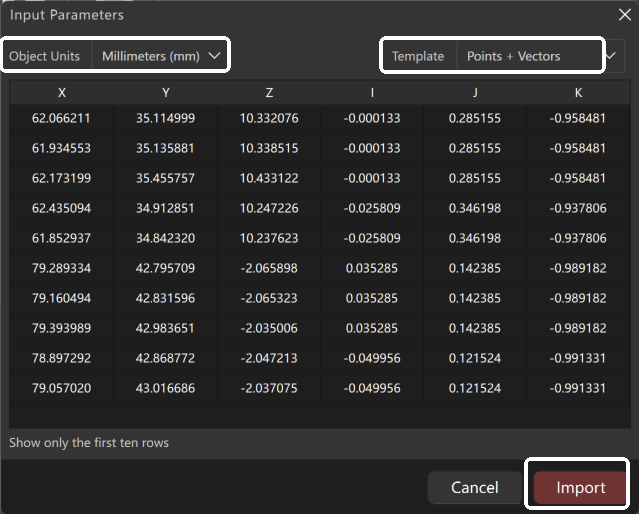
Follow the guidelines below to selet template:
① Name + Point
Generates discrete measurement points with name identifiers. Suitable for datum points, feature points, or manually defined points.
② Point + Intensity
Generates a point cloud containing intensity attributes. Suitable for laser scanning data and reflectivity analysis.
③ Point + Name
Functionally identical to Name + Point, except for a different field order.
④ Point Only
Generates a basic point cloud model without additional attributes. Suitable for basic data containing only geometric coordinates.
⑤ Point + RGB Color
Generates a colored point cloud model. Suitable for photogrammetry data or scans with texture information.
⑥ Point + Vector
Generates a point cloud with normal vector information. This type of point cloud provides higher accuracy in meshing, curved surface fitting, and deviation analysis, suitable for applications such as industrial measurement and quality inspection.