Trackit supports accessories connection and control via the Revo Track software. The available accessory currently is Large Turntable.
• Open Revo Track and go to the Project Interface.
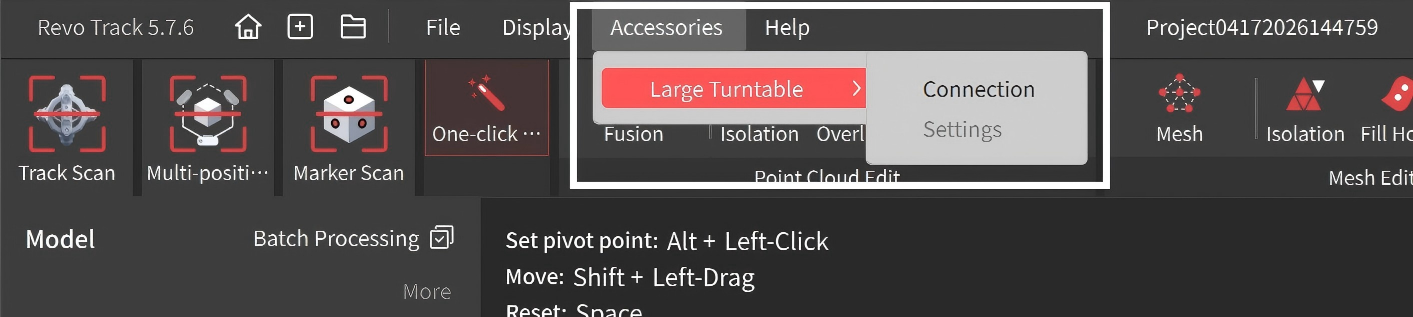
• In the Menu Bar, select Accessories > Large Turntable > Connection , and find your accessory in the bluetooth list and click Connect.
For more detailed instructions on Large Turntable, please refer to the Large Turntable's user manual.