¶ Activation Methods
Perform all activation operations on the computer that will be remotely controlled.
¶ 1. Online Activation
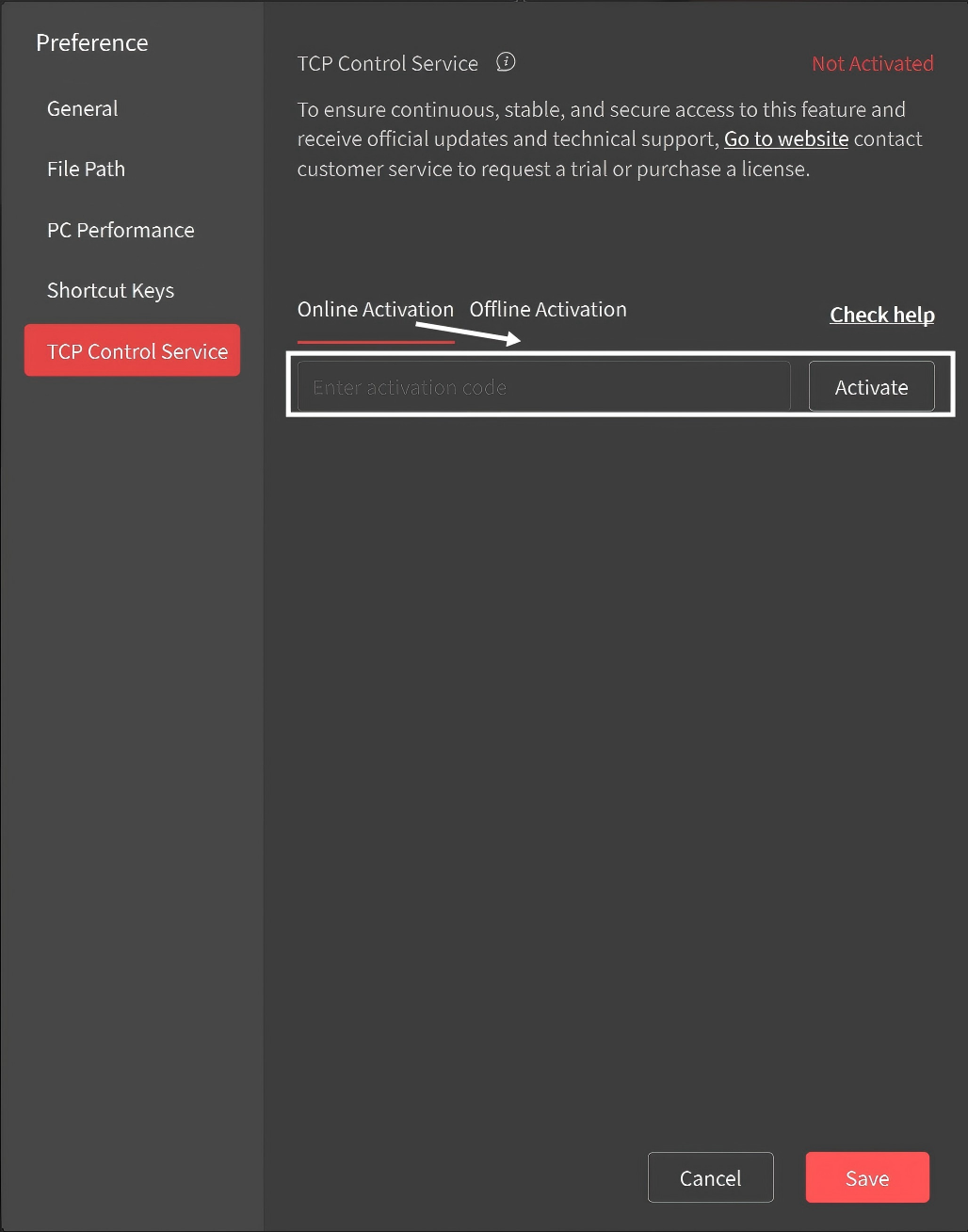 |
① Obtain the activation code via the email address you provided when purchasing the service from the official website. ② Click Settings ③ Click on "Online Activation". Enter the activation code and click "Activate". Note: If activation fails, please contact Revopoint customer service for assistance. |
 > TCP Control Service in the upper-right corner of the software.
¶ 2. Offline Activation
Offline activation is intended for scenarios without internet access or with restricted network connectivity. The feature can be activated by importing an activation package provided by Revopoint. Follow the steps below:
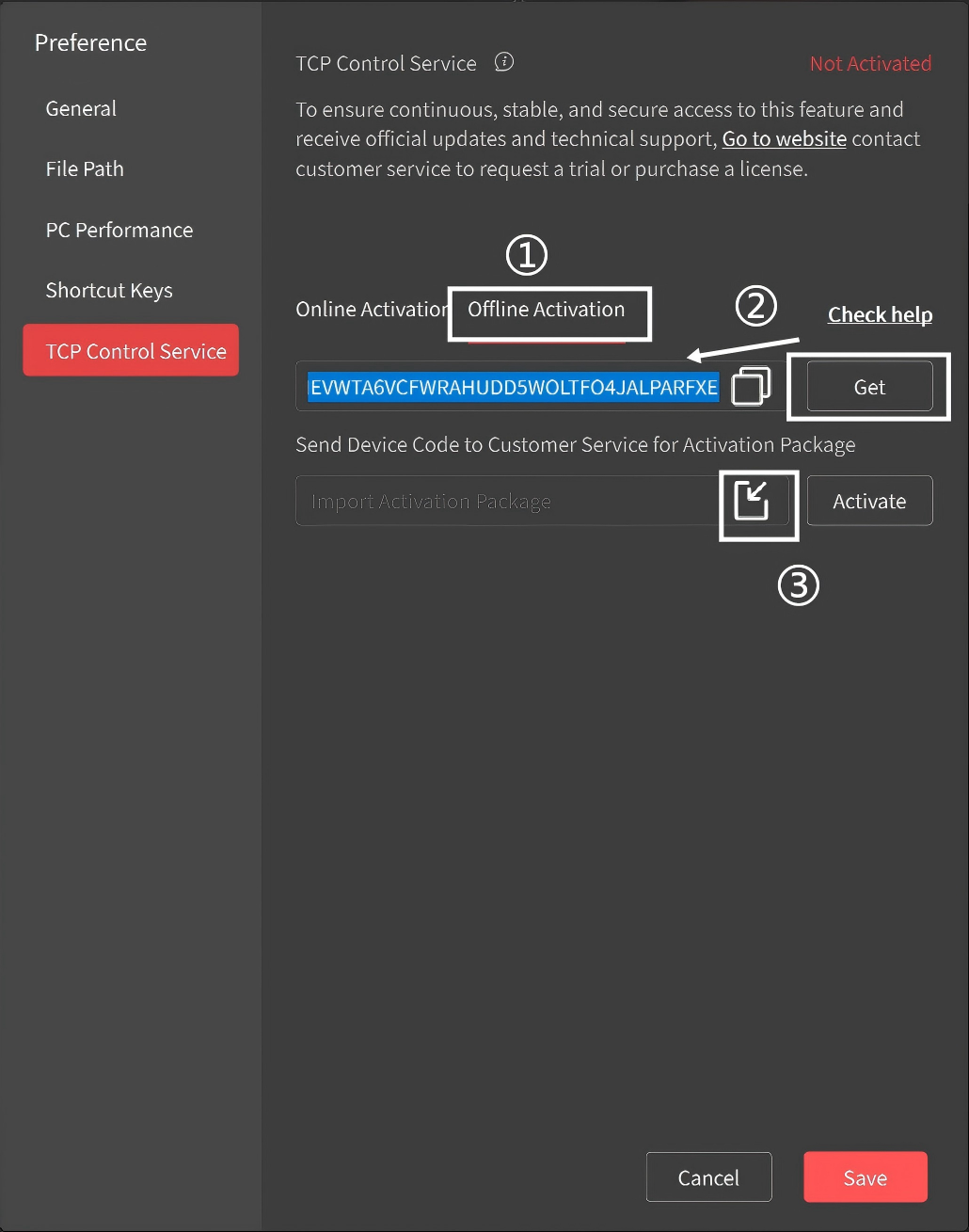 |
① Open the software and click Settings ② Click "Get" to access the code. Copy the code and send it to Revopoint customer service to obtain the corresponding activation package. ③ After downloading the activation package, click the import icon on the right side of the activation field, select and import the file, then click "Activate". Note: If activation fails, please contact Revopoint customer service for assistance. |